
MediForms
they can serve as a simple check list or a powerful program within HealthOne. They can be easily shared across all Users.
To import a MediForm:
1. Download a MediForm
2. Open any patient (like Mary Test)
3. Click on MediForm icon (or press shift + F11)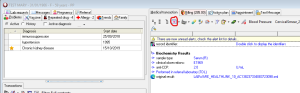
4. options -> import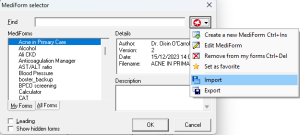
5. select the downloaded file
It is now ready to use!
Templates
they will autopopulate a lot of information needed in your letter. As MediForms, they can be shared between Users.
To import a template:
1. Download it
2. Identify your template folder, it will be: YOUR_SERVER\honewin\config\set1\canevas\
3. Move the downloaded template to folder above
It is now ready to use!